Copy Paste Sectors in Blood’s mapedit. This won’t just be making two sectors, this will be pasting a sector inside of another. Hold Alt and hover over the desired sector. Press Insert to make a copy of the Sector… Read More ›

Copy Paste Sectors in Blood’s mapedit. This won’t just be making two sectors, this will be pasting a sector inside of another. Hold Alt and hover over the desired sector. Press Insert to make a copy of the Sector… Read More ›

First find the Jumppad Prefab in your actors list under the ‘misc” category. Create a square sector around the perimeter of the jumppad. Then we need to give those sector regions the correct properties. In the properties select: Jumppad Allow… Read More ›
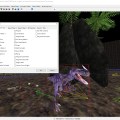
How to make monsters and enemies work and attack. (Starting with the basics I will update this list) 1.) Go into actors edit mode and cntrl+click the monster. 2.) Right click the selected monster and go to properties. 3.) Go… Read More ›

Okay here is the thing and you should read all of this guys how to get your wall models aligned in the Turok Game Editor. You want to stay with toggle grid snapped on always make sure this is checked… Read More ›
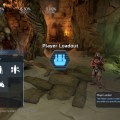
First place a “player loadout” next to your player start. It is in the section titles “Player & Team” Looks like this Well then go into the settings of it by pressing x on the icon and change your settings… Read More ›

Step 1: Choose which Operating System you have and download Doom 64 EX from Kaisers spot here: https://doom64ex.wordpress.com/downloads/ Step 2: You need to get the DOOM 64 ROM data aka the cart data. This can be found very easily but I’m… Read More ›
 duke64nukem.com